
Notivation
Mindful Notes & Decision Maker
Record decisions with pros, cons and confidence, then track the actions that follow.
Notivation is a decision making app for iPhone. You write the options, weigh the pros and cons, rate your confidence and track the next actions in one place. Everything stays on your device, and you do not need an account to start.
Notivation screenshots
Swipe →




What Notivation does
Most decisions are not hard because the options are bad. They are hard because the options live in your head, mixed with worry and the last conversation you had. A decision making app gives each choice a place of its own. You write the question, list the options and note what would change your mind.
A good decision record has three parts: the options, the criteria and a confidence level. The options are what you can choose. The criteria are what matters to you, such as cost, time, energy or risk. Confidence is how sure you feel today. When you write all three down, you can return later and see what you knew then.
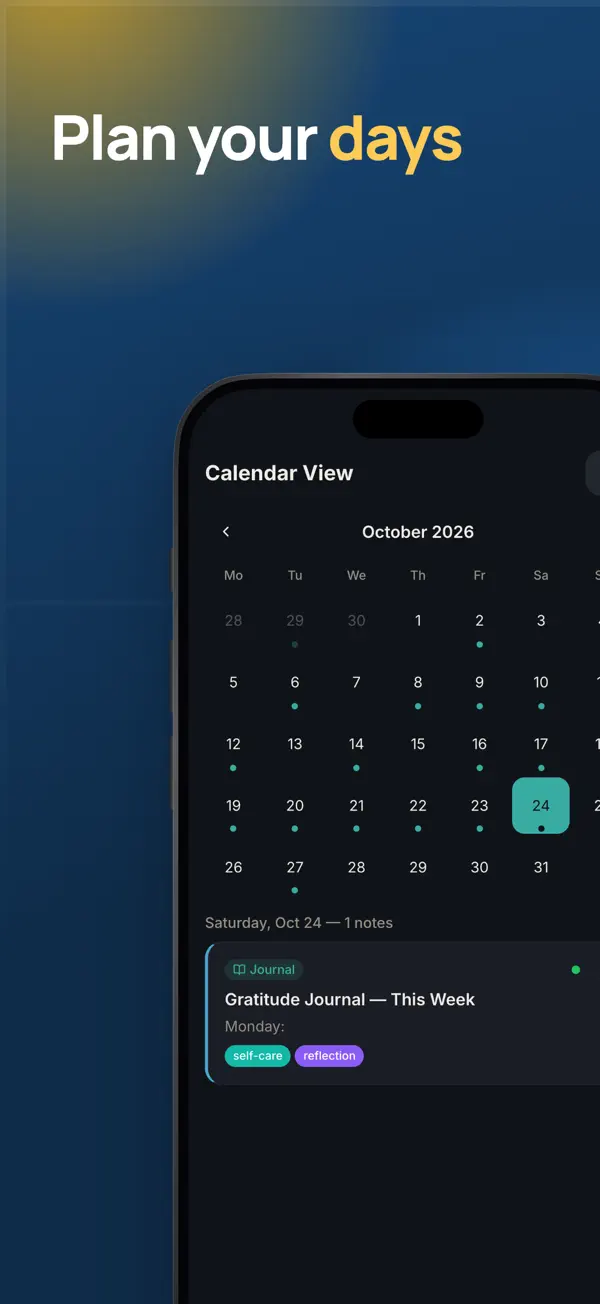
Notivation stores each decision as a note with weighted pros and cons, a confidence value and a Decision Journey timeline. Quick Decision cards on the home screen show the choices still waiting for you. Each decision can also create action items with due dates, which the Actions tab sorts into Today, This Week, Overdue and Follow-up.
Notivation does not decide for you. The app gives structure and reminders, and the outcome stays yours. Its clarity and confidence scores are reflection tools, not financial, legal, medical or professional advice. For high-stakes choices, check the facts with a qualified professional.
Features
Decision notes
- Write each choice as a decision note with its options and criteria.
- Give each pro and con a weight that matches how much it matters to you.
- Rate your confidence now, and compare it with the result later.
- Follow the Decision Journey timeline to see how a choice changed.
Actions and follow-up
- Turn any note into action items with due dates.
- See tasks grouped as Today, This Week, Overdue and Follow-up.
- Check items off and watch your momentum streak grow.
Thinking tools
- Future Cast compares if-then scenarios with probability weights.
- Incubation Mode lets a note rest until you are ready to return to it.
- Memory Fade highlights notes you have not revisited for a while.
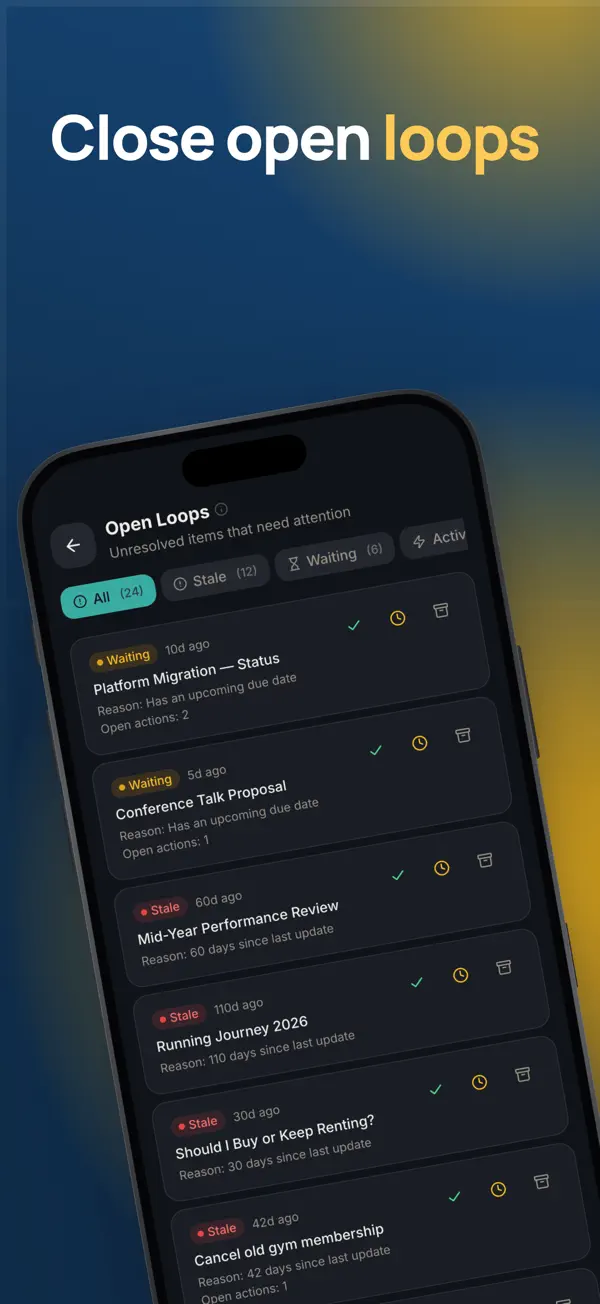
- Open Loops lists unresolved items in one view.
Daily overview and review
- Morning Brief shows your notes, overdue tasks and clarity score.
- Clarity Score measures how organized your thinking is.
- Weekly Digest, available in Pro, summarizes your recent notes.
Privacy and writing
- A biometric lock keeps your notes behind a second check.
- Note templates, voice memos and a Markdown live preview help you write.
- Ten themes, including Light, Dark and OLED Black, suit your setting.
Who it is for
- Good for people who make many decisions at work or at home.
- Good for students choosing a course, a job or a city to live in.
- Good for anyone who keeps coming back to the same unresolved choice.
- Good for people who want notes and tasks in one private app.
Privacy
Notivation stores your notes, decisions and tasks on your iPhone. There are no accounts, no cloud sync and no tracking, so the developer does not receive your entries. The only permission is Notifications, for reminders you schedule yourself.
Read the Notivation privacy policyPrice
Notivation is free to download. Notivation Pro is available as a monthly, yearly or one-time lifetime purchase, and Apple processes every payment. Subscriptions renew automatically unless cancelled at least 24 hours before the end of the current period.
Terms of useNotivation questions, answered
Is Notivation a free decision making app?
Yes. Notivation is free to download and includes the core note, decision and task tools. Notivation Pro adds more features, such as Note Graph, Canvas and Weekly Digest. You can choose a monthly, yearly or lifetime plan, and the app shows the plan details before you buy.
How do I compare pros and cons in an app?
Create a decision note and list each option. Add pros and cons, and give each one a weight that shows how much it matters. Compare the weighted totals for each option. A close result usually means the weights need a second look.
Does Notivation sync my decisions to iCloud?
No. Notivation does not use cloud sync, and your data stays on the device. If you have device or iCloud backup switched on, Apple may include the app's local database in that backup under Apple's own terms. The developer has no access to it.
Can I lock my notes with Face ID or Touch ID?
Notivation has a biometric lock. When it is on, the app asks for your biometric check before it shows your notes. The check is handled by iOS on your device.
Does Notivation give financial or medical advice?
No. Confidence scores, clarity scores and decision matrices are reflection tools. They help you structure your own thinking. For money, health or legal questions, check the facts with a qualified professional before you act.
From our blog
- 4 min read
Decision Making Techniques That Work (With Examples)
Decision making techniques that help you choose well: pros and cons, weighted scoring, the 10-10-10 rule and pre-mortems, with simple examples.
- 5 min read
How to Do a Weekly Review in 20 Minutes
How to do a weekly review in 20 minutes: a timed checklist for open actions, pending decisions and open loops, with a worked example for planning next week.
- 5 min read
How to Make a Pros and Cons List That Helps You Decide
How to make a pros and cons list that helps you decide: weight each point, score each option, add totals, and check the result, with a worked example.
- 5 min read
Privacy-First iPhone Apps That Keep Data on Device
How privacy-first iPhone apps keep your data on the device, what on-device processing means, and how to check any app's privacy claims yourself.
Get Notivation free.
Free on the App Store for iPhone and iPad (iOS 16.0 or later). Android is coming soon.


