
Calm PDF Image Toolkit
PDF & Image Toolkit
Turn photos into PDF files, merge and compress them, all on your iPhone.
You can convert photos to PDF on your iPhone without uploading them. Calm PDF turns one or more images into a PDF on the device, and the finished file stays where you save it.
Calm PDF Image Toolkit screenshots
Swipe →




What Calm PDF Image Toolkit does
People convert photos to PDF for many reasons. A receipt needs to go to an accountant. A signed form needs to go by email. A set of photos of a document needs one file, not twenty. A PDF keeps the pages in order and opens the same way on any device.
Many online converters ask you to upload your photos first. Your pictures may contain personal details, such as a passport page or a bank card. Calm PDF avoids that step. Conversion, merging, compression and text extraction all run on your iPhone, and no file leaves the device.
Calm PDF is a PDF and image toolkit with a clean interface. The free version converts images to PDF, merges PDFs, compresses images, exports PDF pages as JPG or PNG, and includes a PDF reader with reading modes and annotations. You do not need an account to start.
The sections below explain the steps, how to choose image format and quality, and when a Pro feature is needed. The app is free to download, and a one-time paid upgrade unlocks the advanced tools.
Features
Free conversion tools
- Convert one or more images to PDF in a few taps.
- Export PDF pages as JPG or PNG for sharing.
- Merge several PDFs into one file before you send it.
- Compress images to reduce their file size.
- Change between PNG and JPG with quality control.
Reading and marking up
- Eight reading modes, including Sepia, Night and High Contrast.
- Highlight text, underline it and add sticky notes or bookmarks.
- Jump to any page and search the text inside a PDF.
Organize your files
- Color-coded folders with smart filtering and sorting.
- Six themes, including Kids and Senior, with extra-large text in Senior.
- Right-to-left layout for Arabic, Hebrew, Urdu and Persian.
Pro tools
- Unlimited bulk conversions. Free users get two per day.
- HEIC and HEIF conversion for Apple's native photo format.
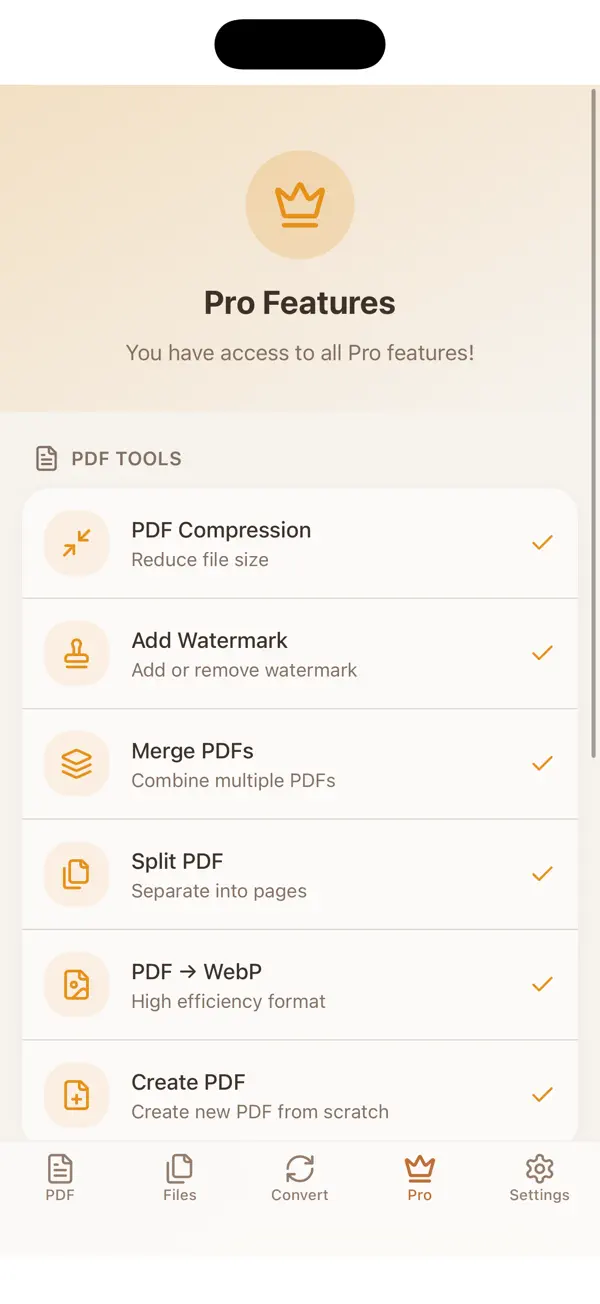
- PDF compression, PDF split by page range and watermarks.
- OCR text extraction and searchable PDFs from scanned pages.
Privacy and security
- Every file is processed on your iPhone, and nothing is uploaded.
- Text recognition uses Apple's on-device recognition.
- App Lock with a PIN, Face ID or Touch ID is a Pro feature.
Who it is for
- Good for people who turn receipts, forms and photos into PDF files.
- Good for students who send homework or notes as one PDF.
- Good for people who need a smaller file for email.
- Good for users who do not want an account or an upload.
- Good for readers who need high-contrast text or a larger reading mode.
Privacy
Calm PDF processes every document on your device. No file is uploaded, no account is created and no server sees your documents. Text recognition runs on the iPhone too.
Read the Calm PDF Image Toolkit privacy policyPrice
Calm PDF is free to download. An optional paid Pro upgrade unlocks the advanced tools, and a lifetime purchase is available, so no subscription is required. Apple processes all purchases.
Terms of useCalm PDF Image Toolkit questions, answered
How do I convert a photo to PDF on iPhone?
Open Calm PDF, pick the image-to-PDF tool, and select one or more photos. Convert them, then save the PDF to the place you choose. The conversion runs on your iPhone, so the photo is not uploaded.
Can I convert HEIC photos to PDF?
HEIC and HEIF conversion is a Pro feature. The free version converts JPG and PNG images to PDF. Check the Pro screen in the app for the current plans before you buy.
Does Calm PDF upload my photos or documents?
No. Conversion, merging, compression and text extraction run on the device. No file is uploaded and no server sees your documents. The app does not require an account.
How do I make a PDF smaller?
The free version compresses images to reduce photo size. PDF compression is a Pro feature. Compression changes the file, so keep your own copy of any original that matters.
Is the free version limited?
The free version includes image-to-PDF conversion, merging, reading and annotations. Free users get two bulk conversions a day. Pro removes that limit and adds unlimited bulk conversion and batch processing.
From our blog
- 5 min read
How to Compress a PDF on iPhone
Compress a PDF on iPhone without uploading it. Learn why PDFs get large, how image quality affects file size, and the steps to shrink a file for email.
- 4 min read
How to Convert Photos to PDF on iPhone
Convert photos to PDF on iPhone without uploading them. Learn the steps, page size and quality tips, and how to merge and compress the PDF afterwards.
- 5 min read
How to Merge PDF Files on iPhone
Merge PDF files on iPhone without uploading them. Learn how to set the page order, check the result and name the combined file clearly. Step by step.
- 5 min read
Privacy-First iPhone Apps That Keep Data on Device
How privacy-first iPhone apps keep your data on the device, what on-device processing means, and how to check any app's privacy claims yourself.
Get Calm PDF Image Toolkit free.
Free on the App Store for iPhone and iPad (iOS 15.0 or later). Android is coming soon.


