
Islam Guide Pro: Prayer Times
Quran, Qibla, Adhan & Ramadan
Prayer times, Qibla direction, Quran and Ramadan tools in one calm app that works offline.
Islam Guide Pro is a prayer times app for iPhone. It calculates daily prayer times from your location, shows the Qibla direction with your device compass and includes the Holy Quran and a Hijri calendar. Core features work offline, and there is no account.
Islam Guide Pro screenshots
Swipe →




What Islam Guide Pro does
Many Muslims check prayer times several times a day, often while traveling or in a new city. A prayer times app saves that search. It needs an accurate location, a clear calculation method and a way to set alerts. Islam Guide Pro brings these tools together with the Qibla compass, the Quran and a Ramadan tracker.
Prayer times are calculated from the position of the sun at your location. Fajr and Isha begin when the sun is a set angle below the horizon, and different authorities choose different angles. Some methods also adjust times at high latitudes. This is why two apps can show different times for the same city.
Islam Guide Pro offers eight calculation methods: MWL, ISNA, Egypt, Makkah, Karachi, Tehran, Jafari and the official timetable for Turkey. You can use automatic location or pick a city by hand, which helps when you travel. Calculated prayer times and the Quran work offline.
Prayer times differ slightly between calculation methods, so confirm the method your local mosque or national religious authority uses. The app gives general information only; for religious rulings, ask a qualified scholar.
Features
Accurate prayer times
- Choose one of eight calculation methods that fits your region.
- Use automatic location or set a city manually.
- View weekly and monthly prayer tables for planning.
- Set a reminder before each prayer and a notification at its exact time.
Qibla compass
- Find the direction of the Kaaba with your device compass.
- See live direction updates in a clear compass view.
- Calibrate the compass if the reading looks wrong.
The Holy Quran
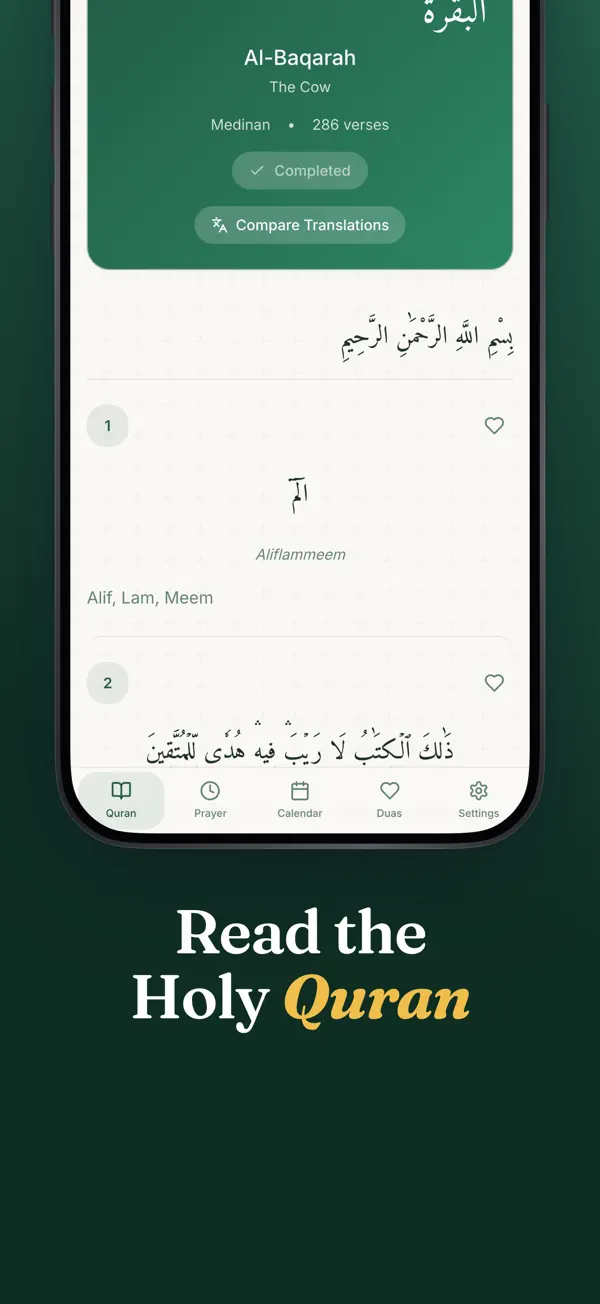
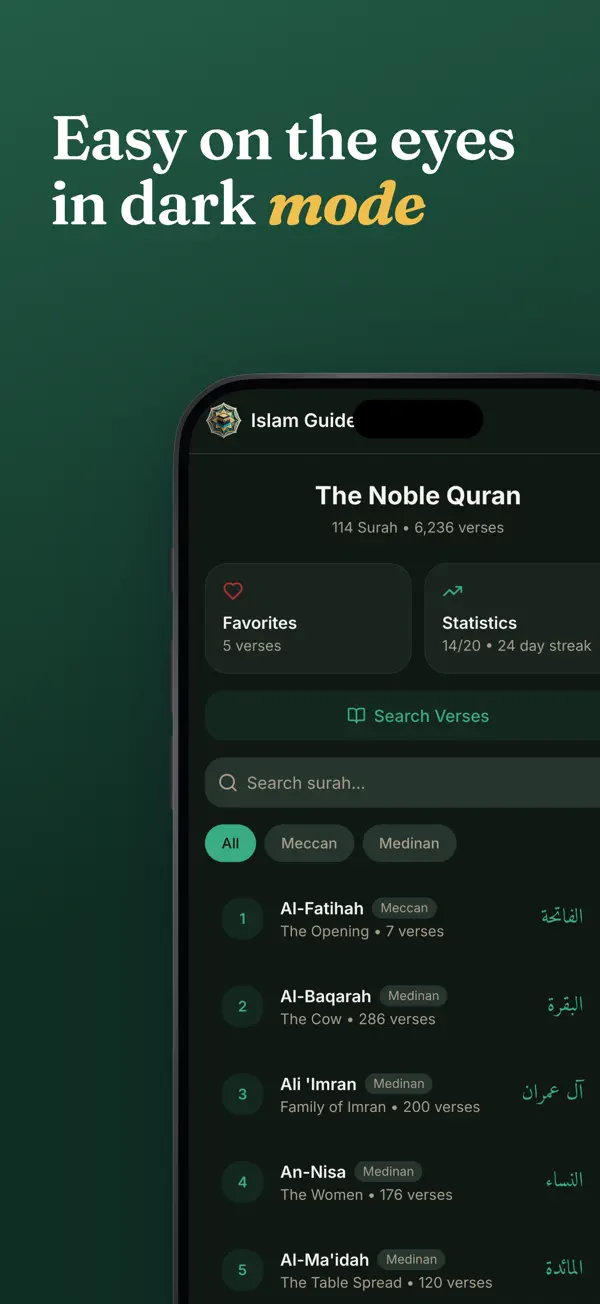
- Read all 114 surahs, verse by verse, in Arabic with translations.
- Choose translations in Turkish, English and Russian.
- Search the full text and track your reading progress.
Hijri calendar and Ramadan
- Convert Gregorian dates to Hijri dates.
- See Islamic special days and holy nights on the calendar.
- Follow Imsak and Iftar times with the Ramadan tracker.
Duas and daily tools
- Browse duas by category, such as morning, evening and travel.
- Write and keep your own personal duas.
- Count dhikr with a counter that includes preset dhikrs.
Who it is for
- Good for travelers who need local prayer times in a new city.
- Good for families who want prayer times and Quran reading in one app.
- Good for readers who prefer Turkish, English, Arabic or Russian text.
- Good for anyone who wants core features available offline.
Privacy
Islam Guide Pro has no account, no ads and no tracking. Location is used on the device for prayer times and the Qibla bearing, and it is sent to a prayer-time provider only where your chosen method requires it. For Turkey, the timetable lookup sends only your city name. Your reading, bookmarks, fasting records and dhikr counts stay on the device.
Read the Islam Guide Pro privacy policyPrice
Islam Guide Pro is free to download. The free version includes prayer times, the Qibla compass, the Hijri calendar, duas and Quran reading of 5 surahs per day. Pro is a monthly or yearly subscription, or a one-time lifetime purchase, and Apple processes every payment.
Terms of useIslam Guide Pro questions, answered
How accurate are prayer times in Islam Guide Pro?
Times are calculated from your location, the calculation method you choose and the date. They are calculated, not official rulings. Compare them with your local mosque or national religious authority when precision matters, and choose the method your community uses.
Why do prayer times differ between apps?
Apps use different sun angles for Fajr and Isha, and some use fixed time rules for Isha. Some also adjust times at high latitudes. Choosing the method used in your region usually gives the most consistent times.
How do I find the Qibla direction on iPhone?
Open the Qibla compass and hold the phone flat. The app shows the bearing toward the Kaaba from your location. Stay away from metal objects and magnets, and calibrate the compass if the reading looks wrong.
Does the app work offline?
Yes. Calculated prayer times, the Quran and the Qibla compass work without an internet connection. Lookups that use an online timetable need a connection, so the app sends only the data that method needs.
Can I use Islam Guide Pro without paying?
Yes. The free version includes prayer times, the Qibla compass, the Hijri calendar, the Ramadan tracker, duas and an alarm for one prayer. Pro adds unlimited Quran reading, alarms for all five prayers and widgets.
From our blog
- 4 min read
How to Find Qibla Direction and Prayer Times
How to find the Qibla direction and prayer times: how the bearing to the Kaaba is calculated, why prayer times differ by method, and how to check them locally.
- 6 min read
Ramadan Fasting Tips and Tracking: Plan Your Days Well
Practical Ramadan planning tips: suhoor and iftar timing, sleep, water and a simple tracking log with a worked weekly average, plus a Ramadan tracker app.
Get Islam Guide Pro free.
Free on the App Store for iPhone and iPad (iOS 16.0 or later). Android is coming soon.


